
World Cup 2026 Explainer
How the simulator works
A simple step-by-step guide to filling the groups, picking knockout winners, and sharing your World Cup prediction.
3 min read
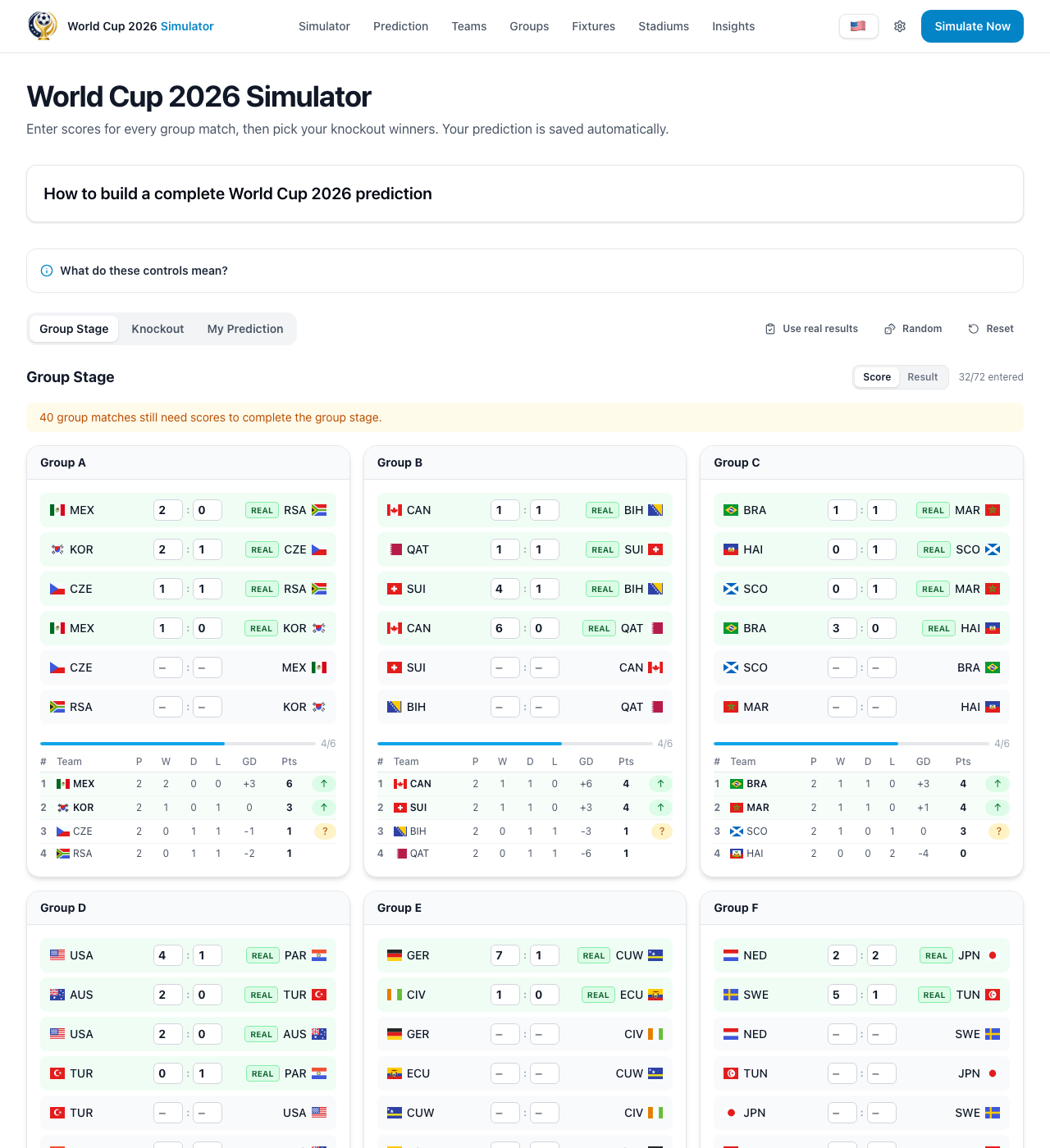
Step 1: Fill in the group matches
Start at the group stage. Pick what happens in each match. You can type the real score, like 2-1, or just choose who wins, loses, or draws.
After each pick, the simulator updates the table for you. It moves teams up or down automatically, so you do not need to do any math yourself.
- Use score mode if you want to choose exact numbers.
- Use result mode if you only care who wins or if it is a draw.
- Finish the groups first so the next round can be built correctly.
Step 2: Pick the winners in the knockout rounds
When the groups are ready, the knockout bracket fills in with the teams that qualified. Then you pick the winner of each match, round by round.
Keep going until you choose your champion. Do not forget the third-place match too, because your prediction is only complete when that spot is filled as well.
- Pick one winner in each knockout match.
- If you change an earlier match, later matches may change too.
- Choose the champion and the third-place team to fully finish your bracket.
Step 3: Save it, share it, or start fast with Random
When your prediction is complete, you can create a share link. You can also download a PDF or share one of the images in different formats.
If you want help getting started, press Random. It quickly fills empty picks for you, and then you can change anything you do not like.
- Use the share link if you want to keep your prediction on another device.
- Your friends can open the link and compare your brackets.
- Random is great when you want a quick starting point.
Create a new prediction
Your World Cup 2026 bracket prediction.